
Thoughtful reminders
Set a movement-reminder interval that fits the rhythm of your workday.
MoveDesk
For Windows
MoveDesk is a calm Windows utility that encourages regular movement and helps interrupt prolonged sitting—without accounts, advertising, or tracking.
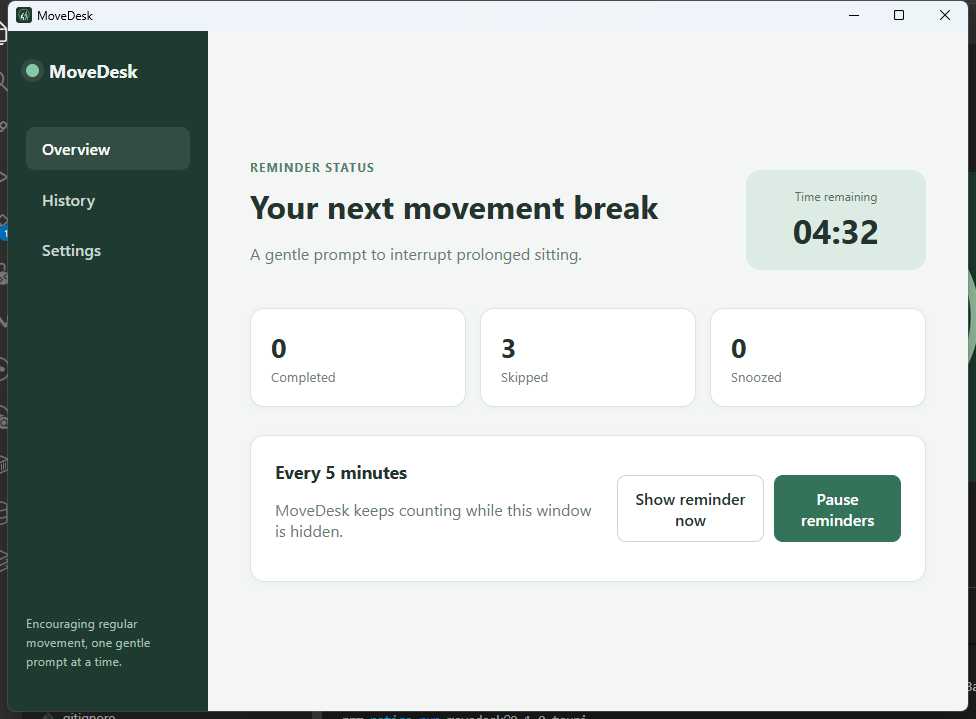
Built for desk work
Set a movement-reminder interval that fits the rhythm of your workday.
Follow calm, timed movement instructions, then mark a session complete or skip it.
Choose seated or standing options through a mobility profile that suits you.
After five minutes without keyboard or mouse activity, the reminder countdown pauses automatically.
Review completed, skipped, and paused activity alongside daily movement statistics.
No account, advertising, analytics, or tracking. Settings and history stay on your device.
How it works
Choose a reminder interval and mobility profile.
MoveDesk runs quietly in the Windows system tray until your interval expires.
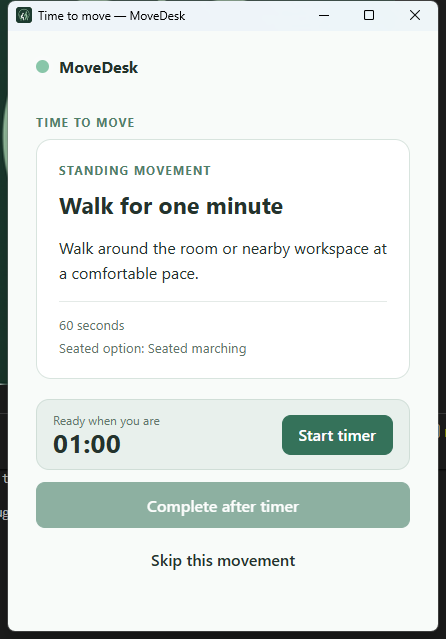
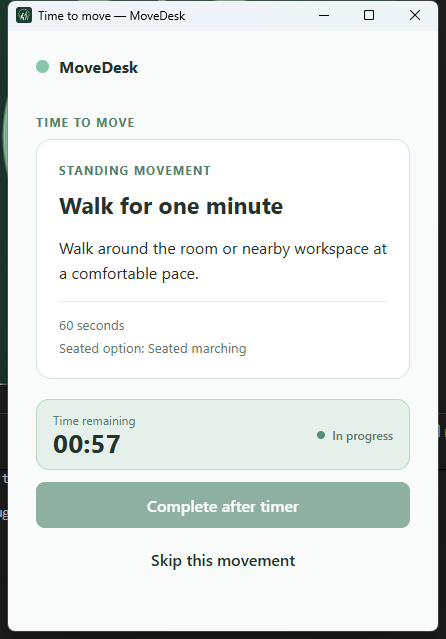
A movement popup appears. Start the timer, then mark it complete or skip it.
If you are inactive for five minutes, the reminder countdown pauses automatically.
Your settings and history stay on your device.
When it is time to move
Privacy by design
It does not require an account, display advertising, include analytics, or transmit your movement history.
Read the MoveDesk Privacy PolicyA sensible reminder
MoveDesk provides general movement reminders and does not provide medical advice. Choose movements appropriate to your abilities and stop if you experience pain, dizziness, or discomfort.
Frequently asked questions
No. MoveDesk does not require an account.
No. Its settings and movement history stay on your device.
Yes. The current core functionality works entirely offline.
After five minutes without keyboard or mouse activity, MoveDesk pauses the reminder countdown automatically.
Yes. MoveDesk includes seated and standing movement options through mobility profiles.
No. It provides general movement reminders and does not provide medical advice.
MoveDesk is designed for Windows 10 and Windows 11.
It is stored locally in the application-data area associated with your Windows user account.
You can remove MoveDesk’s locally stored application data from your Windows user profile. An exact location will be provided when it has been verified for the release.
MoveDesk for Windows